




Your company just paid for AI training. Six months later, half the team switched tools, and most of what they learned went with it.
That is the quiet math problem inside almost every AI enablement budget right now. Tools shift monthly. Vendors keep offering free half-day sessions on their own AI suites. Leaders keep signing off, checking the box, and assuming the team is covered. Then the stack changes and the training evaporates, because it taught buttons instead of judgment.
The teams that hold their ground through a tool switch learned something different. They learned how to think about AI, not how to operate one product. And they learned it through their own daily work. Here are the four tracks worth building, and what makes each one survive the next migration
Summary
The teams that come through a tool switch intact all learned the same thing first, and none of them learned it from a vendor. Judgment is what travels, and it looks different for every role: developers need the boring theory before the agent, designers need enough version control literacy to work inside the pipeline, operations teams need to spot the right problems before they touch a prompt, and leaders need to evaluate rather than approve. Build all four and the next migration costs your team a week of relearning specifics instead of the entire investment.
Why Vendor Training Expires So Fast
Switching tools costs less than most leaders assume. The workflow underneath usually survives the move intact.
“There’s a lot of overlap in how things get done between tools in the same category,” said Doug Compton, Director of AI Engineering at Slingshot. “You relearn the specifics every time, but you grasp the tool in general quickly, because so much of it carries over.”
Sarah Bhatia, Director of AI Product Innovation, watched the same pattern when Slingshot’s own team moved off Cursor. “We had to relearn where everything lived,” she said. “But the overall idea of how to build front-end code, how to run that process and iterate on it, we had down pat by then.”
So the interface is the cheap part. The expensive gap opens when a team never built the underlying process, and the tool was doing the thinking for them.
This is exactly what a vendor session cannot give you. “Companies bring in their Microsoft partner or their Google partner for a free training, and then they think everyone is trained on AI now,” Sarah said. “Spending half a day hearing from a software rep about which buttons to click might help a few specific use cases. It doesn’t make your team adaptable.”
Slingshot teaches the opposite way on purpose. “We stay relatively tool agnostic, because the tools switch so quickly anyway,” Sarah said. In practice, that means a room where half the participants use Copilot and half use Claude, with no access to each other’s tools, and a curriculum that has to make both halves effective.
Track 1: Developers Learn the Theory Before the Tool
The developer track starts somewhere counterintuitive. Not with an agent. Not with a prompt library. With the boring part.
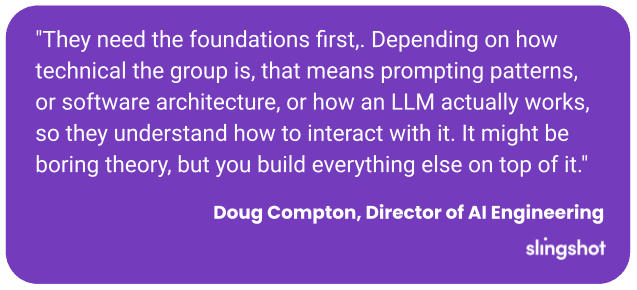
“They need the foundations first,” Doug said. “Depending on how technical the group is, that means prompting patterns, or software architecture, or how an LLM actually works, so they understand how to interact with it. It might be boring theory, but you build everything else on top of it.”
That foundation is what makes the knowledge portable. A developer who understands why context windows degrade output does not need retraining when the window size changes. A developer who only memorized a workflow does.
Context management earns its own session for that reason. Doug frames it as a half hour with a clear arc: what context is, what breaks when you run out of it, what the side effects look like in real output, and how to run several agents at once without hitting the wall.
Slingshot also removes the parts nobody should have to rediscover. “We have built-in tool sets so developers get up to speed on running agents effectively,” Doug said. “That stops them from recreating their own setup from scratch.” A weekly internal AI dev session keeps the practices current, and every session ships with a runbook of copy-and-pastable steps. Newer developers follow it line by line. Experienced ones skim to the new parts.
Track 2: Designers Keep the Craft, Then Add the Speed
Designers stand to gain more reach from AI than almost any role on your team. They also hit the hardest wall getting there, and it has less to do with skill than with habit.
The technical prerequisites are real but modest. Sarah pointed to branching strategy and pull requests as the baseline that lets a designer work inside an AI-forward pipeline. The bigger differentiator is temperament. “Curiosity and a willingness to learn is a massively impactful skill right now,” she said.
The resistance comes from craft. “Once you fully embrace AI, it streamlines that UX/UI process and makes all of it much faster,” said Chris Howard, Slingshot’s President. “But it’s hard to give something up when you’ve done it the manual way for years. Designers tend to be perfectionists. Of all the roles, that transition is one of the more challenging.”
He sees a clear endpoint for the track, though. “The designers who can take an HTML prototype a customer built, bring it in-house, apply standards and good UX practice, and hand it back are not chasing perfection,” he said. “That’s the designer of the future.”
Skipping that baseline does not get you there faster. It just moves the cost downstream. Sarah already sees the gap in external partners. Designs arrive half generated and half hand-drawn. The discrepancies surface later, when someone has to untangle what the designer actually meant.
So the design track teaches three things. Enough version control literacy to work inside the pipeline. Practice on inherited work, raising somebody else’s rough prototype to standard. And a stopping rule for what good enough to hand off looks like.
Track 3: Operations Teams Start With the Problem, Not the Prompt
Your accountant will probably get more out of AI training than your developers will. That sounds backward, but distance from the tools turns out to be an advantage.
“When I think about our trainings, the people who don’t typically work with AI ended up taking away the most,” Sarah said. “It isn’t something they think about all the time, so they come in ready to reconsider how they work.”
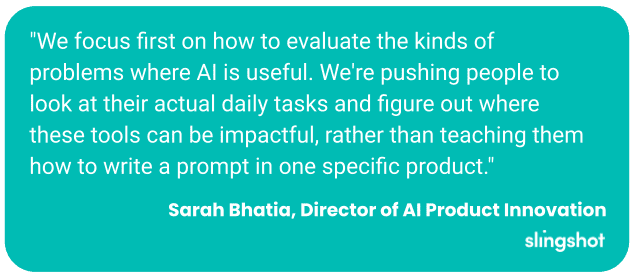
That happens by design. “We focus first on how to evaluate the kinds of problems where AI is useful,” Sarah said. “We’re pushing people to look at their actual daily tasks and figure out where these tools can be impactful, rather than teaching them how to write a prompt in one specific product.”
Chris adds an inventory step that makes the exercise concrete. “Look at the data sources and tools each role already uses,” he said. “Then ask which parts of their day they would most love to get rid of.” From there, you build them something small and safe that removes one of those tasks. “Show them what’s possible with a few examples and they’ll usually pick it up and run with it.”
Doug’s rule for mixed rooms keeps the track usable at any skill level. Teach to the person who knows the least, but pack in enough that the advanced people still walk out with something.
So the operations track teaches a sequence, not a toolkit. Spot the problems AI actually fits. Map what each role already works with. Then remove one painful task and let that win pull them toward the next one.
Track 4: Leaders Learn to Evaluate, Not Just Approve
Evaluating an AI tool used to require a technical reviewer. Now it mostly requires knowing which questions to ask. Leaders who skip that work approve whatever demoed best.
Chris opens every evaluation the same way. “Start with the privacy policy, so you know where your data is going,” he said. Pull the terms of use, drop them into a chat session that knows your business, and let it surface the clauses that matter. Those policies often change by tier, so the free plan your team piloted may carry different terms than the plan you buy.
Doug pairs that with a requirements list built before he looks at a single tool. What has to be there, what would be nice, and what the last tool did that this one had better avoid. “Once you have that list, it narrows the possibilities fast,” he said. “And AI can help you build it, and even ask you questions you didn’t know you needed to ask.”
Every vendor runs a good demo, so Chris looks for what sits behind it. “Any tool that stands behind what it promises will give you a demo period, some real time where you can prove it out.”
Then comes the hardest call: pulling people out of production work to learn something new. “You need a clear understanding of what you hope to gain as a business,” Chris said. “If you know that, you can usually justify it. But moves like that are costly.” Sarah’s shortcut is to recruit the people already ahead of the curve and let those power users train everyone else.
So the leadership track teaches evaluation, not approval. Read the terms before the demo. Write the requirements before the pitch. And know what the business gains before you pull anyone off their work.
The Real Enablement Strategy
Every one of these tracks teaches the same thing in four different accents. Developers get it as theory before tooling. Designers get it as craft before acceleration. Operations teams get it as problems before prompts. Leaders get it as evaluation before approval. The durable part is always the judgment. The tool is just where that judgment gets applied today.
That is what makes a migration survivable. A team with that judgment loses a week relearning specifics when the tool changes. A team that only learned one product’s menus loses the whole investment and starts over from zero.
So the question before you approve the next training session isn’t whether your team will learn the tool. It’s whether anything they learn will still be true next quarter.
The Terms Changed Since You Signed

Written by: Whitney Powell
Whitney earned her degree in Marketing and Management from the University of Kentucky and discovered her passion for marketing and events. Her go-getter attitude, willingness to learn, and problem-solving abilities elevate the Slingshot team. Known as a daredevil, Whitney loves trying new things and embracing challenges, whether traveling to new places or taking on new projects at work.

Expert: Chris Howard
Chris has been in the technology space for over 20 years, including being Slingshot’s CIO since 2017. He specializes in lean UX design, technology leadership, and new tech with a focus on AI. He’s currently involved in several AI-focused projects within Slingshot.

Expert: Sarah Bhatia
Sarah Bhatia brings people together. In her decade plus of product and product-adjacent experience, her focus has been on cross-functional collaboration, asking lots of questions, and getting big results. She excels at strategy development, and getting the right brains in the room to solve big problems. Sarah would describe herself as a daredevil, because she’s not afraid to ask foolish questions, get smart answers, and take (calculated) risks.

Expert: Doug Compton
Born and raised in Louisville, Doug’s interest in technology started at 11 when he began writing computer games. What began as a hobby turned into his career. With broad interests that range anywhere from snorkeling, science, WWII history and real estate, Doug uses his “down time“ to create new technologies for mobile and web applications.
Frequently Asked Questions
Most AI training teaches one product's interface instead of the thinking behind it, so the knowledge expires when the stack changes. The workflow underneath usually survives a migration intact, which means teams that learned the process keep most of what they know and only relearn where things live. Teams that memorized menus lose the full investment and start over. Vendor-led sessions concentrate on which buttons to click, so they tend to expire fastest.
Foundations, before any agent or prompt library. That means prompting patterns, software architecture, and how a large language model actually works, scaled to how technical the group is. A developer who understands why context windows degrade output does not need retraining when the window size changes. Context management deserves its own session covering what context is, what breaks when it runs out, what the side effects look like in real output, and how to run several agents at once. Shared internal tool sets and copy-and-pastable runbooks keep developers from rebuilding their setup from scratch.
Three things. Enough version control literacy, specifically branching strategy and pull requests, to work inside the pipeline. Practice raising inherited work, such as taking a rough prototype someone else built and bringing it up to standard. And a clear stopping rule for what good enough to hand off looks like. The hardest part is usually temperament rather than skill, because designers who have worked manually for years resist giving up parts of the craft. Skipping the baseline moves the cost downstream, where half-generated and half-hand-drawn designs create discrepancies someone has to untangle later.
Start with the problem, not the prompt. Teach people to evaluate which kinds of problems AI actually fits, then have them examine their own daily tasks for where the tools help. Inventory the data sources and tools each role already uses, ask which parts of their day they would most like to get rid of, and build something small and safe that removes one of those tasks. In mixed-skill rooms, teach to the person who knows the least while packing in enough that advanced participants still gain something. People who rarely work with AI often take away the most, because they arrive ready to reconsider how they work.
Start with the privacy policy to establish where your data is going, and check the terms by tier, since the free plan your team piloted may carry different terms than the plan you buy. Write a requirements list before looking at a single tool: what has to be there, what would be nice, and what the last tool did that this one should avoid. Ask for a demo period rather than trusting the demo itself, because any tool that stands behind its promises will give you real time to prove it out. Then define what the business gains before pulling anyone out of production work to learn something new.